Overview
In the beginning of the year many people create new year's resolutions in hopes to unlock the best version of themselves that year. Unfortunately many of them end up falling short due to lack of time, resources and motivation. Although people are able to take initiative and plan for their habits, people underestimate the consistency and hard work it takes to achieve positive results.
Habitly is a new app that helps users effectively build habits through consistency and accountability
My Role
Product Designer
Information Architecture
Prototyping
Testing
Platform
iOS Mobile App
Timeline
November—December 2021
The Problem
I conducted a survey to gain insight on 30 participants between the ages of 20-30 on their experiences with maintaining habits.
I identified 3 problems that our participants encounter when it comes to maintaining habits.
1. Not being in the right mindset
Many people don’t have a successful mindset when attempting to achieve goals, focusing on victory and maintaining a positive mental attitude is empowering and helps support good habits.
2. Lacking accountability
Many people don’t have accountability structures that help them sustain the changes they hope to make in their lives.
3. Being consistent
Many people find it challenging to stay disciplined and focus on the goal instead of the journey towards progress.

A user interview was conducted with 10 participants to gain insight on our user problems.
The objectives for the user interview were:
To understand what strategies participants use to stay consistent in their habits.
How do participants stay motivated and committed to their set habits
To gain insight on what tools and resources could help participants become more successful with their habits.
Key Findings:
Having individuals with similar habits hold you accountable can make reaching goals much easier
Prioritizing your habits by planning and scheduling them into your day can make them much more attainable
Positive affirmations and remembering why you started your goals is incredibly powerful when it comes to goal setting.
Analyzing the problem space
After conducting the survey and user interview, I was able to identify many of our users pain points and I wanted to gain insight on the pros and cons of other applications, and what Habitly can do better to potentially attract more users than these competitors.

Strengths I focused on implementing:
A reminder feature that encourages user to stay on track with habits
A daily check list that shows habits and their current status
Select desired habit frequency
A dashboard that displays a variety of statistics for each habit
A onboarding questionnaire that recommends helpful habits and tools
Weaknesses I avoided:
Not including a weekly view option for habits in home screen
Not providing calendar view on dashboard
Streaks being the main source of motivation
Solution
Putting it all together
By conducting user research I was able to determine what tools could help users better document and track their habits
Create your own habits
Customize your habits and how frequently you aim to complete them.
Track Progress
Maintain habits by observing your daily progress and analyze your growth.
Connecting with others
Being able to connect with friends creates extrinsic motivation and provides space to hold each other accountable.
Empathizing with Young Professionals
What steps do you take in effort to be consistent when it comes to developing positive habits?
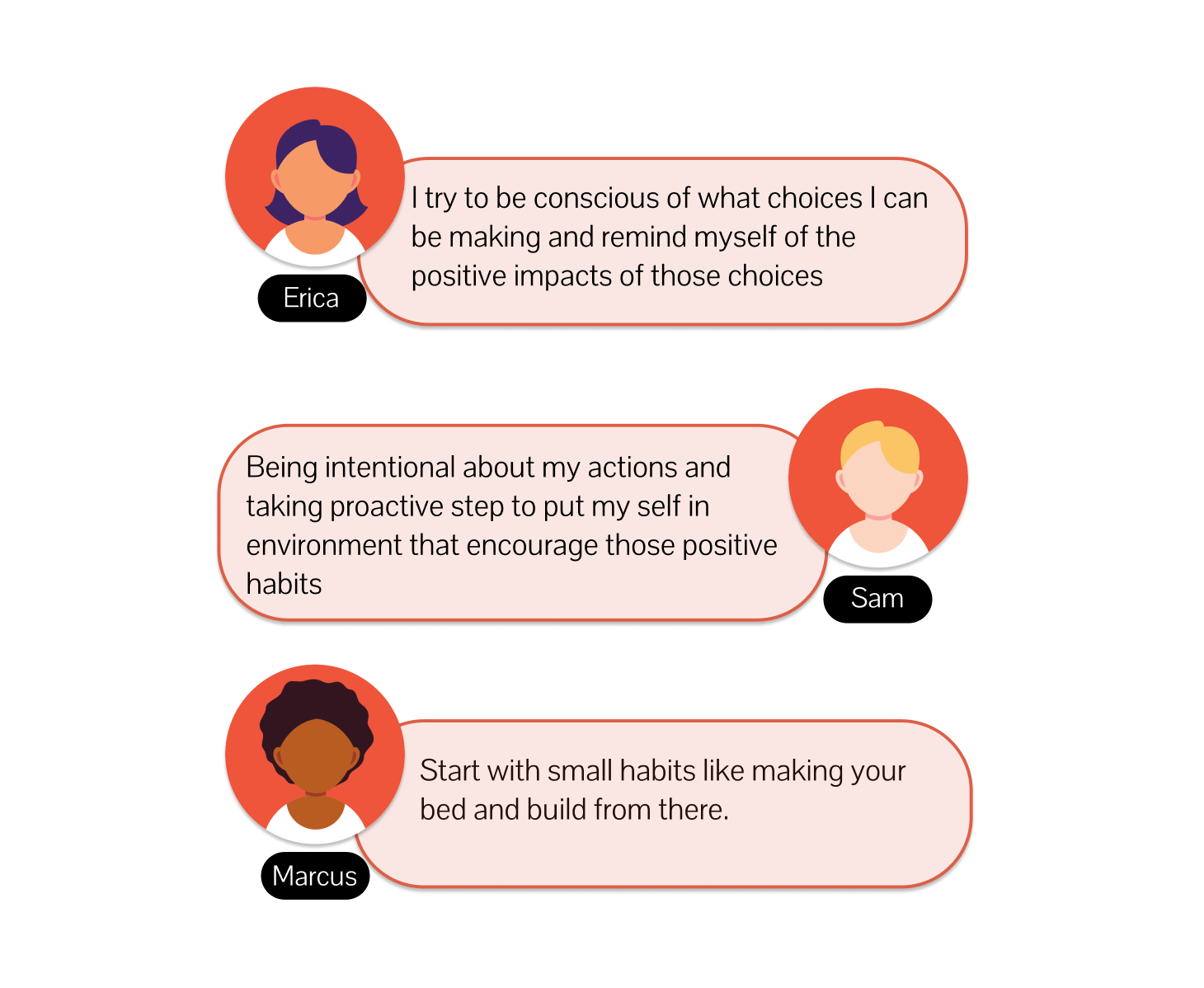
Qualitative Personas
Information Architecture
Task Flow
By sketching I hoped to understand how the application could function. I wanted to explore what the process of documenting your mood and tracking tasks could look like. I explored different layouts to determine which one was easiest to use and understand.
"How might we create a resource that allows people to better manage their habits?'“
View→ Task Flow
App Map
After establishing my potential app user it was important for me to map out the hierarchical structure of my application in order to understand how the app would be integrated. I used data from my research to organize where content should be placed and to show the relationship between different screens.
View→ App Map
Designing
Sketches
By sketching I hoped to understand how the application could function. I wanted to explore what the process of documenting your mood and tracking tasks could look like. I explored different layouts to determine which one was easiest to use and understand.
"How might we create a resource that allows people to better manage their habits?'“
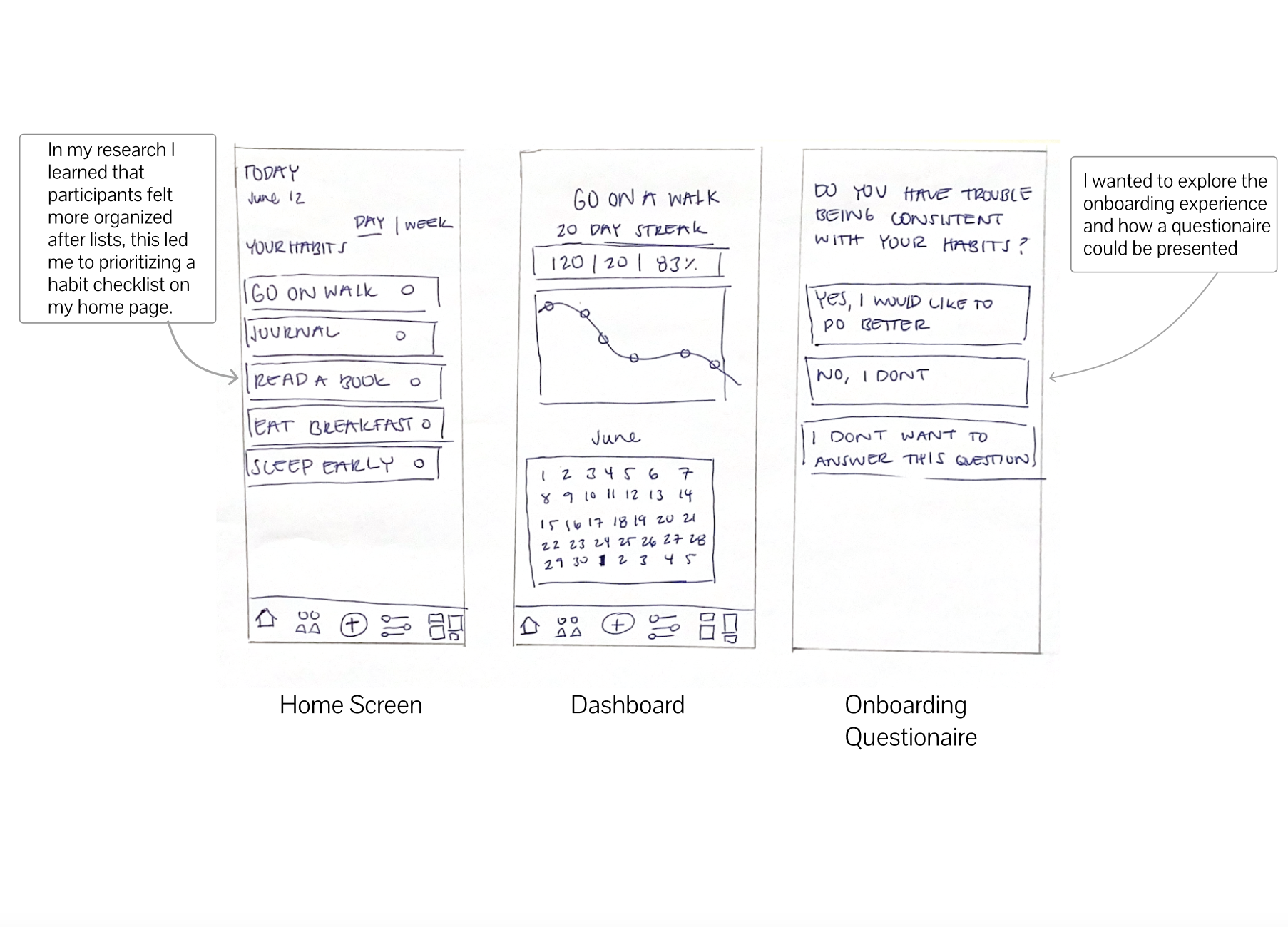
Wireframes
In my wireframes I aimed to further explore and refine the concepts that I had brainstormed in my sketches. I created different structures to determine what process and layouts were most functional.
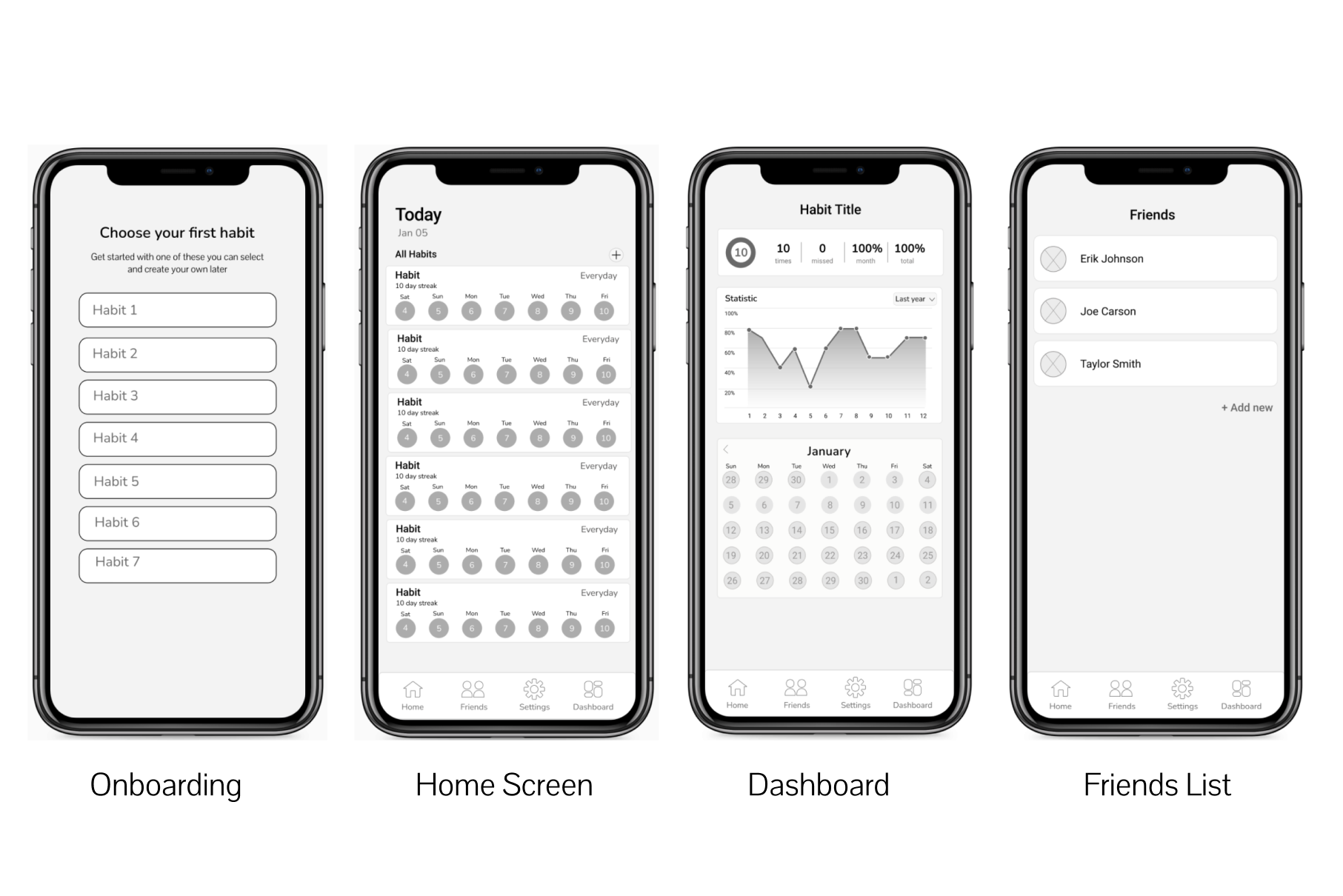
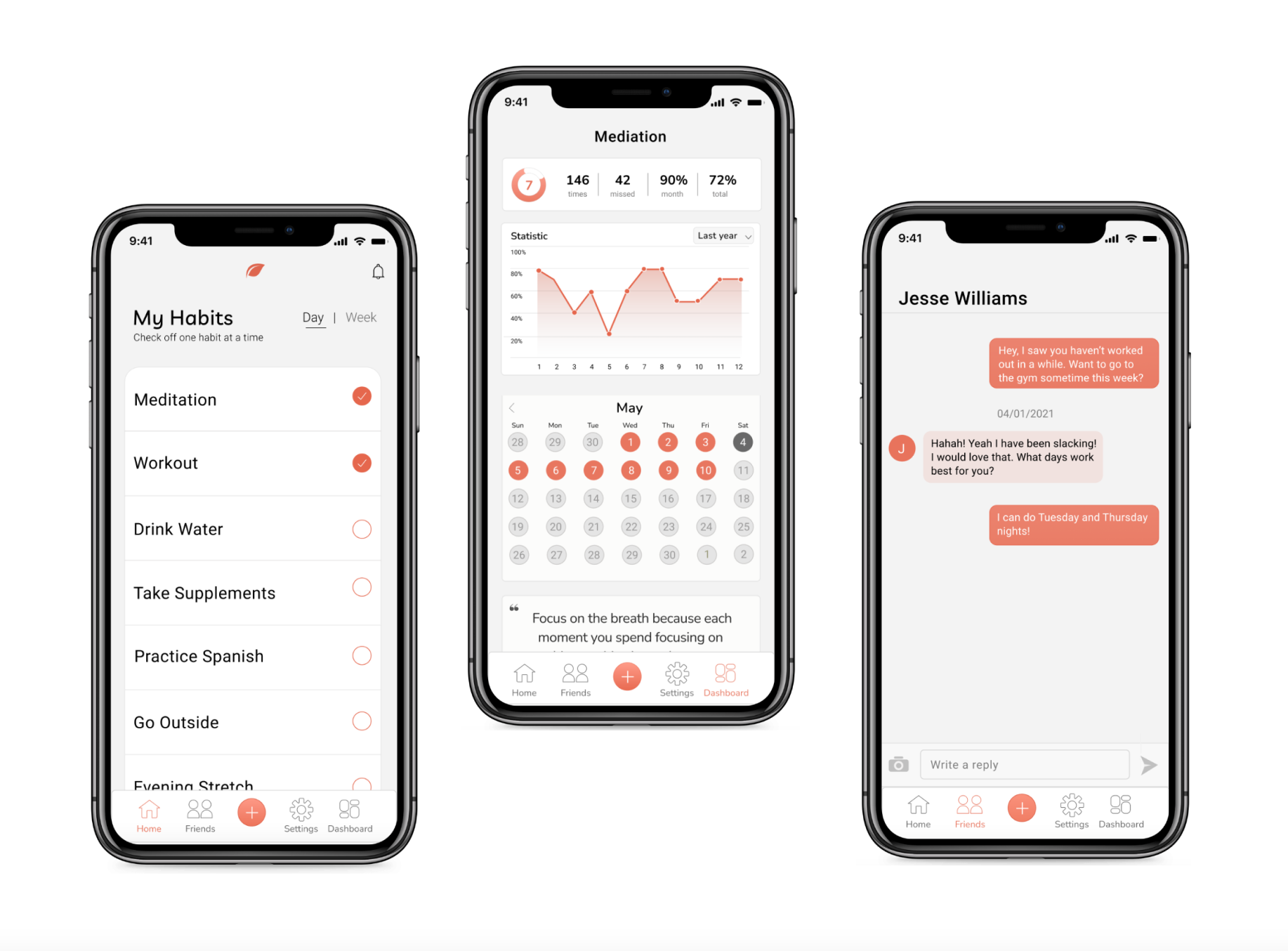
I selected the screens displayed above because they provide high-level data that would give the user a detailed analysis of their progress. The layout selected also provided a clean visual experience that fit well with interface.
Designing
Prototype
In this prototype I aimed to create an experience that felt seamless but created impactful results for the user. I focused on using a simple color palette to highlight key pieces of information and a simple interaction experience so the product is easy to learn and remember.
Testing
Objectives for usability test were:
• Determine usability issues throughout the Habitly mobile app.
• Identify frustrations participants are having throughout their tasks.
• Understand user mood when they complete their assigned tasks.
The usability test was conducted over Zoom, and I had the participants screen share for the entirety of the test. I had them perform two tasks, one to create a new habit, and the other being to check off a task and observe the impacts on the dashboard.
The initial prototype included a swipe feature in order to check off tasks but participants highlighted that swiping wasn’t apparent. In the updated iteration a check box was implemented to improve efficiency and learnability.
There were also some navigation errors in the prototype where a participant wasn’t able to tap on icon because it was set to drag.
All changes have been implemented in final prototype.
view→ see the final prototype
What my participants are saying: